The right accessories are what turn a standing desk into an ergonomic workspace that you actually want to use. The desk frame and monitor arm do the structural work, but accessories address the friction points that make people stop standing: tired feet, tangled cables, an uncomfortable chair for when you sit back down, and a desktop that feels cluttered rather than functional.
Anti-fatigue mats are the first accessory worth buying for any standing desk setup. Standing on a hard floor for 30 to 60 minutes adds up to real fatigue in the lower back and legs. A quality mat reduces that load by creating a slightly cushioned, slightly unstable surface that keeps your muscles making small micro-adjustments rather than locking into static tension. The difference is noticeable within the first week.
Cable management is the accessory that determines whether your setup looks intentional or improvised. Standing desks move: that means your cables move too. Without a cable spine or tray, cables bunch up under the frame and eventually pull taut at full height extension. A cable management tray under the desktop costs under $30 and keeps everything organized as the desk travels through its range.
Keyboard trays, monitor risers, desk pads, and lamp attachments round out the category. Not every accessory makes sense for every setup, but the ones on this site have been evaluated against real use cases rather than listed generically. If a product is covered here, it is because it solves a specific ergonomic or organizational problem that matters in a standing desk context.
Top Picks in Accessories
Best Anti-Fatigue Mats for Standing Desks 2026
Five tested mats under $80 ranked on cushioning performance, durability, and surface area. The Topo by Ergodriven leads for contoured designs; budget flat mats start under $40.
Read guide → Setup GuideCable Management Guide for Desks
How to route and manage cables on a standing desk so nothing pulls taut at full extension. Includes tray and spine options for different desk configurations.
Read guide → Full SetupComplete Ergonomic Desk Setup Under $300
A complete standing desk setup built around a $300 total budget. Covers desk, chair, mat, and monitor positioning as a system rather than individual purchases.
Read guide →Articles
Best Laptop Stands and Risers (2026)
The best laptop stand picks for 2026: fixed aluminum risers, adjustable stands, and vertical docks, plus the external keyboard you have to buy with them.
Best Under-Desk Treadmills for Standing Desks 2026
The best under desk treadmill picks for 2026, from a $130 budget walking pad to the $399 WalkingPad C2. Real clearance math, noise notes, and honest trade-offs.
Best Desk Lamps for Home Office: LED Task Lighting (2026)
The best desk lamp for a home office in 2026: screen bars, clamp lamps, and swing-arm task lights ranked by glare, brightness, and desk space.
Best Webcam Stands and Mounts for Home Office (2026)
The best webcam stand for a home office in 2026: clip mounts, gooseneck arms, tripods, and monitor-arm brackets, plus the trade-offs behind each pick.
Best Footrests for Standing Desks (2026)
The best standing desk footrest picks for 2026: rocker bars for standing, adjustable foot rests for sitting, and which one your setup actually needs.
Best Desk Shelves and Monitor Risers for Standing Desks (2026)
The best desk shelf and monitor riser picks for 2026: budget steel stands, adjustable risers, and wood shelves that lift your screen to eye level on a standing desk.
Best Desk Cable Management Solutions Under $50 (2026)
Best desk cable management solutions under $50 in 2026: tested picks for cable trays, sleeves, raceways, clips, and cord covers that actually stay put.
Best Under-Desk Keyboard Trays for Ergonomic Typing (2026)
The best keyboard tray under desk picks for 2026: no-drill clamp-on trays and full-adjust ergonomic mounts that fix wrist angle and clear your desktop.
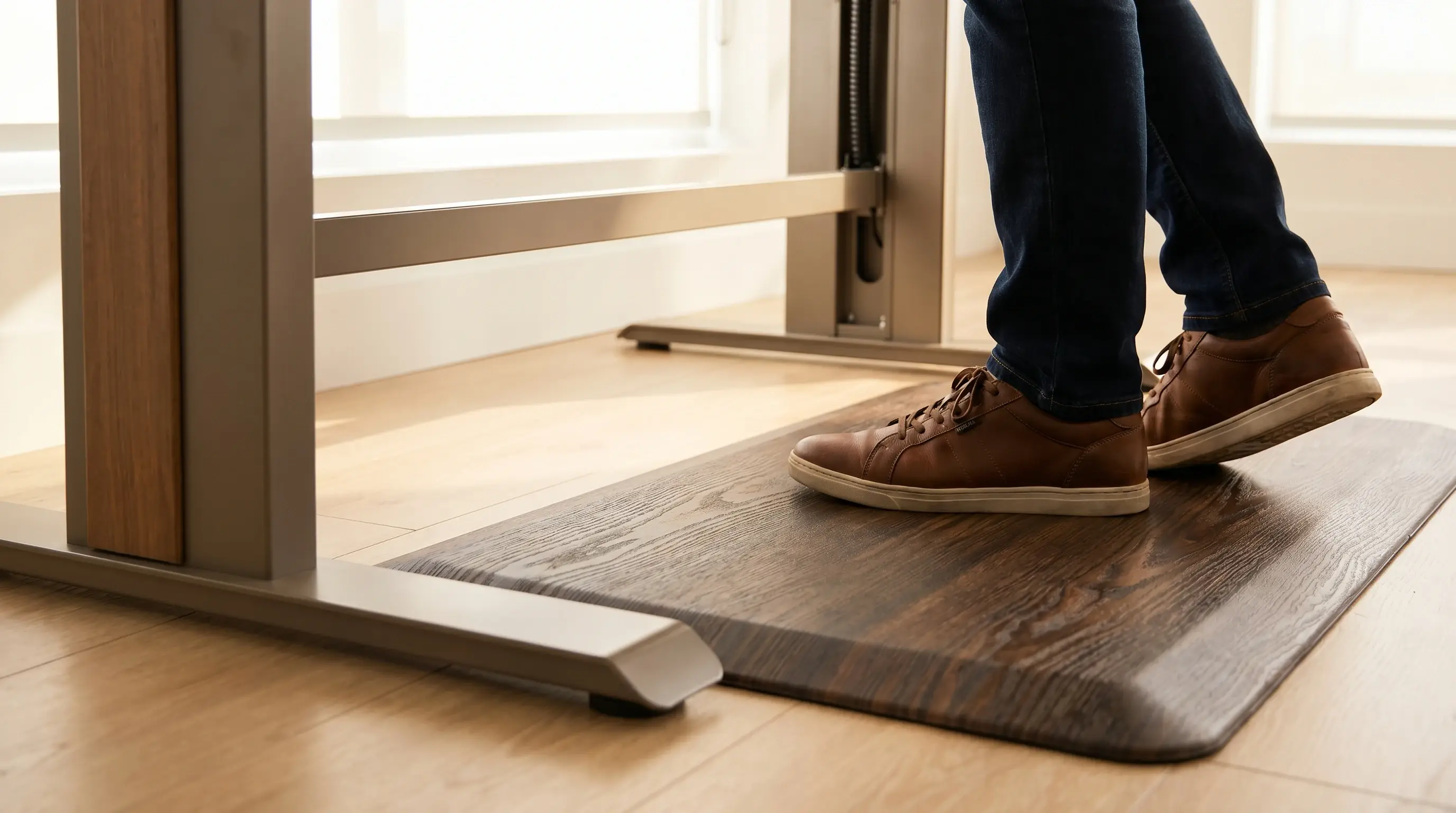
Best Anti-Fatigue Mats for Standing Desks 2026
Best anti-fatigue mats for standing desks in 2026: tested picks under $60 that actually reduce foot and leg fatigue. Budget options that work.
Guides
How to Choose an Under-Desk Keyboard Tray
How to choose a keyboard tray that actually fits: measuring track space, clamp vs bolt-on, standing desk crossbars, platform size, and when negative tilt is worth it.
How to Choose an Anti-Fatigue Mat for Your Standing Desk
A practical guide to choosing an anti-fatigue mat for your standing desk: floor type, flat vs terrain, thickness, and sizing, so you buy the right one.
5 Complete Home Office Setups Under $300 (With Links)
Five real budget home office builds for under $300. Each setup includes a desk, chair, and accessories with product links. No filler, no padding.

Cable Management for Standing Desks: 30-Min Fix
Clean up your standing desk cables in 30 minutes with gear under $30. Practical cable management that survives sit-stand movement. No tools needed.
Complete Home Office Setup Guide Under $500
How to build a complete ergonomic home office under $500: standing desk, chair, monitor arm, and accessories. Real picks, real prices, no filler.
Frequently Asked Questions
- What accessories do I need for a standing desk?
- Start with an anti-fatigue mat: it is the most impactful first purchase. Add cable management (a tray or spine) to keep wiring tidy as the desk moves. If you are not using a monitor arm, add a monitor riser to get the screen to eye level. Everything else (desk pads, laptop stands, under-desk drawers) addresses secondary comfort or organization preferences.
- How thick should an anti-fatigue mat be?
- At minimum 3/4 inch. Mats thinner than that do not provide enough cushioning for standing sessions of 30 minutes or more. A 1-inch mat is worth the additional cost if you stand for extended blocks of 2 or more hours. Avoid promotional mats sold at deep discounts that are only 1/2 inch thick. They compress quickly and lose their cushioning effect within weeks.
- Do I need cable management for a standing desk?
- Yes. A standing desk moves through 12 to 22 inches of vertical travel during a typical workday. Without cable management, the cables bunch when the desk lowers and pull taut when it raises. Over weeks, that stress damages connectors. An under-desk cable tray costs $20-$30 and addresses the problem completely.
- What is the best desk pad for a standing desk?
- A leather or PU leather desk pad with a non-slip base works well for most setups. Size it to cover the active area where your keyboard, mouse, and writing surface live, typically 31x15 inches or larger. Avoid fabric pads with thin rubber backing on motorized desks; the frame vibration causes them to creep over time.
- Should I get a keyboard tray for my standing desk?
- Only if you cannot get the desk to the right elbow height with your chair. Most people find the desk surface itself works as a keyboard surface when correctly adjusted. Keyboard trays add complexity to cable routing and reduce usable desk depth. If you have wrist pain, a wrist rest on the desk surface is usually a more practical solution than a tray.