Ergonomics is not about buying the right gear: it is about configuring your body and your workspace in relation to each other. The best standing desk and the most expensive ergonomic chair will still cause pain if your monitor is too low, your keyboard is too high, or your sitting time is unbroken by movement. The gear creates the possibility of a good setup; the configuration is what produces one.
The evidence base for ergonomic interventions is real. Adjustable desk height, monitor positioning at eye level, lumbar support in a neutral-pelvis position, and regular movement breaks each have documented effects on musculoskeletal pain and sustained focus over an 8-hour workday. The challenge is that the benefits are cumulative and the harms are slow, which makes it easy to delay fixes until something actually hurts.
This category covers the practical side: how to evaluate and adjust your current setup, which ergonomic accessories address real problems rather than creating new ones, and how to use a standing desk correctly so you are not just substituting standing pain for sitting pain. It also covers chairs, posture, and the ergonomics of specific use cases like developer workstations and dual-monitor setups.
The most common mistake in ergonomic setup is treating each item independently: getting a good chair, a good desk, and a good monitor arm without aligning them as a system. Monitor height depends on sitting posture, which depends on chair height, which depends on desk height. Changing one element usually requires adjusting the others. The guides in this section address that chain rather than any single component in isolation.
Top Picks in Ergonomics & Health
Standing Desk Ergonomics Setup Guide 2026
How to set up a standing desk for proper ergonomics. Correct heights, monitor position, keyboard placement, and how long to actually stand each day.
Read guide → Chair GuideBest Ergonomic Chairs Under $300 (2026)
The best ergonomic office chairs under $300 in 2026: from the feature-loaded Flexispot C7 to a solid mesh option at half the price. Real lumbar support, not just a lumbar sticker.
Read guide → Posture GuideBest Posture Correctors for Desk Workers (Honest Review)
Evidence-based review of posture correctors. What the research actually supports, what the limitations are, and which products are worth buying.
Read guide →Articles
Best Office Chair for Lower Back Pain Under $300 (Honest 2026 Picks)
Six ergonomic chairs under $300 tested for lumbar support, adjustability, and all-day comfort. Includes a $100 budget pick and a $280 top pick, all with real return windows.
Best Office Chair for Tall People (6'2" and Up): 2026 Picks
The best office chairs for tall people in 2026. Seat-pan depth, headrest height, and max-weight specs for people 6 foot 2 and taller. Real trade-offs at every budget.
Best Posture Correctors for Desk Workers (Honest Review)
Most posture correctors don't do what they claim long-term. Honest breakdown of what the evidence supports, what doesn't, and which picks are worth buying.
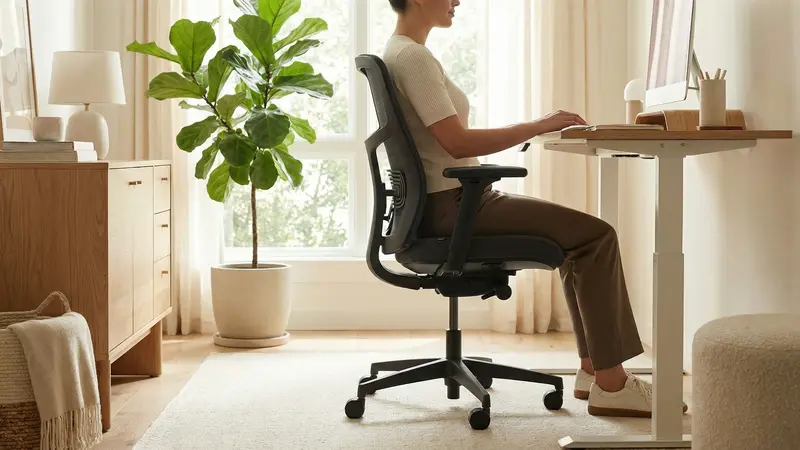
Best Ergonomic Chairs Under $300 (2026): Flexispot, Ticova, and the Budget Pick Worth Buying
The best ergonomic office chairs under $300 in 2026: from the feature-loaded Flexispot C7 to a solid mesh option at half the price. Real lumbar support, not just a lumbar sticker.
Guides
How to Choose an Ergonomic Office Chair
How to choose an ergonomic office chair: seat height, seat depth, real lumbar support, armrest range, and the specs that separate a good $200 chair from a bad one.
How to Reduce Eye Strain at Your Desk
A practical guide to reducing digital eye strain at a desk: lighting, monitor settings, screen distance, blink habits, and the 20-20-20 rule that actually works.
How to Position Your Keyboard and Mouse to Prevent Wrist Pain
Keyboard and mouse ergonomics made simple: the right height, tilt, and hand position to stop wrist pain, plus fixes for tall desks and standing setups.
Walking Pad vs. Under-Desk Bike: Which Is Right for You?
Walking pad vs under desk bike: an honest comparison of cost, noise, space, and real workout value so you can choose the right active-working tool.
How to Fix Back Pain From Working at a Desk
A practical, cost-ranked guide to fixing back pain from desk work. Diagnose the likely cause, start with free adjustments, and know which upgrades actually help.
How to Adjust Your Office Chair for Ergonomics
Learn how to adjust your office chair for proper ergonomics: seat height, depth, lumbar, and armrests, in the right order, in about 15 minutes.
Work From Home Ergonomics: Complete Posture Guide
A practical guide to work-from-home ergonomics. How to set up your chair, desk, monitor, and keyboard to reduce pain and sustain focus across an 8-hour workday.
How Long Should You Stand at a Standing Desk?
How long to stand vs sit at a standing desk. Realistic schedules, healthy sit-stand ratios, and clear signs you're overdoing it in either direction.
Correct Standing Desk Height: Calculator + Guide
Find the correct standing desk height for your body. A practical height calculator, sitting vs. standing targets, and why most guides get this wrong.
Standing Desk Ergonomics Setup Guide 2026
How to set up a standing desk for proper ergonomics. Correct heights, monitor position, keyboard placement, and how long to actually stand each day.
Frequently Asked Questions
- What is the most important ergonomic adjustment I can make today?
- Get your monitor to eye level. It is the single change that addresses the most common source of desk-worker pain: forward head posture caused by looking slightly down at a screen for hours at a time. Use books, a monitor riser, or a monitor arm. Once the screen is at the right height, adjust your chair and desk height to match.
- Is standing at a standing desk actually better for you than sitting?
- Neither sitting nor standing continuously is good ergonomics. The benefit of a standing desk is the ability to alternate between the two positions throughout the day. Extended standing with no movement creates its own fatigue and circulatory issues. The research consistently supports alternating positions with movement breaks, not replacing sitting with standing.
- How do I know if my chair has good lumbar support?
- Sit fully back in the chair with your back against the backrest. The lumbar support should contact the inward curve of your lower back, typically 3 to 5 inches above the seat cushion. If the support contacts your mid-back or makes you feel like you are being pushed forward, it is positioned incorrectly. Many adjustable chairs let you raise or lower the lumbar pad; use that adjustment before deciding the chair does not fit.
- How often should I take breaks from my standing desk?
- Move every 30 to 45 minutes regardless of whether you are sitting or standing. Change positions when you transition (sit to stand or stand to sit) and take a short walk every 60 minutes. Two to three minutes of walking recovers the circulation effects of sustained static posture more effectively than simply switching between sitting and standing in place.
- What are the signs that my desk setup is causing problems?
- Neck and upper back pain usually points to monitor height or distance problems. Wrist pain suggests keyboard height or angle issues. Lower back pain that worsens through the day often indicates the chair is not supporting the lumbar curve correctly. Eye strain and headaches are typically screen brightness or distance issues. If pain appears consistently at the same time of day or in the same positions, the setup is the cause, not the workload.